Apple Watch · iPhone
MyGoal
Your football journey deserves to be recorded.
Log goals, assists, GPS routes and heart rate live from your wrist, then review heatmaps, route replays and season trends on iPhone. No ads, no tracking — your data stays yours.
This is your wrist during a match: timer, distance, heart rate and sprints run themselves — goals and assists are one tap. Try tapping Goal / Assist
EVENT TIMELINE
- 12'Match in progress… waiting for your first event
Unfold for the full picture.New
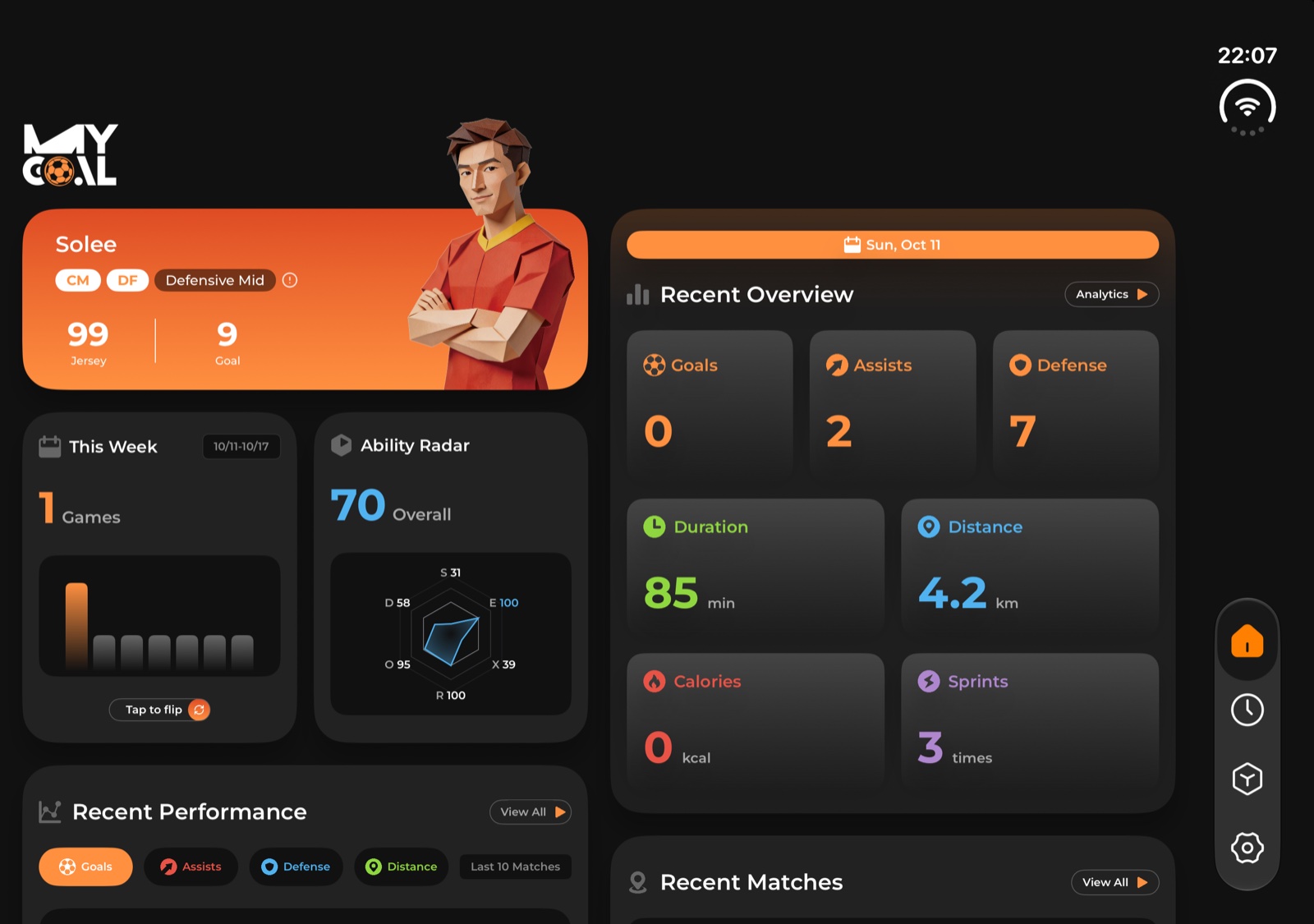
MyGoal 1.4.0 is made for iPhone Duo. Open it up and every screen spreads into two columns, with your matches and their details side by side; fold it shut and it's the phone you know.
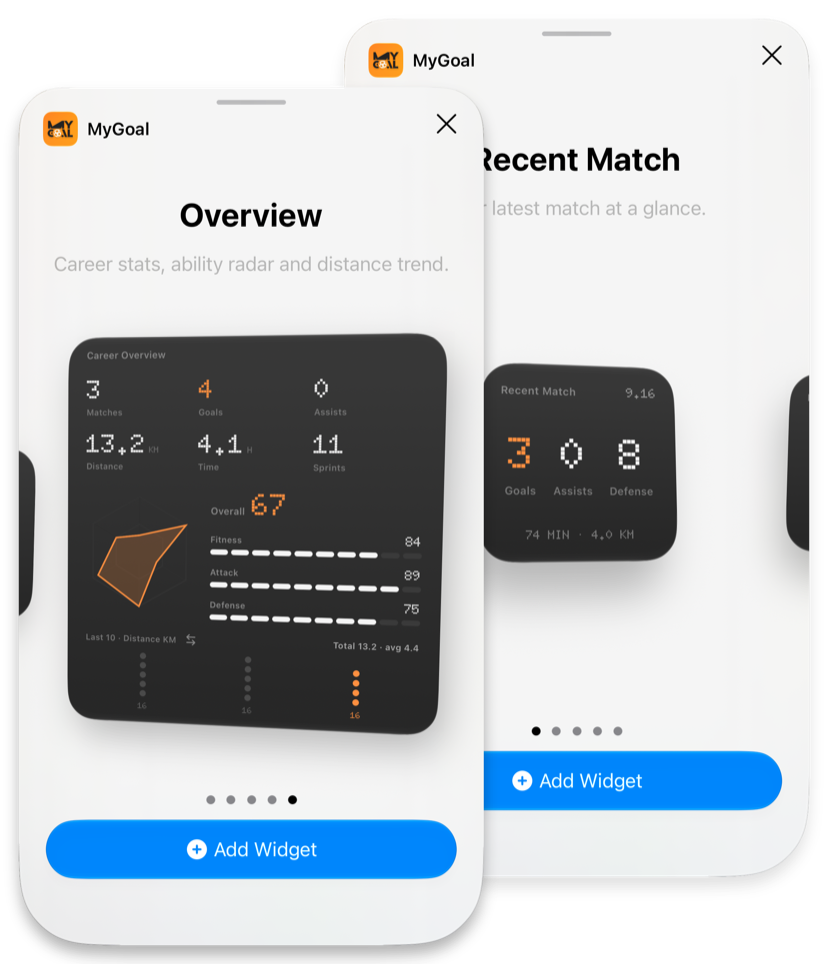
Your stats, right on the Home Screen.
Pixel-style widgets show your latest match or your whole career without opening the app. Recent Match has goals, assists, defense, minutes and distance from your last game. The large Overview fits career totals, the ability radar, three indexes and a 10-match trend you can switch. There are lock-screen widgets too.
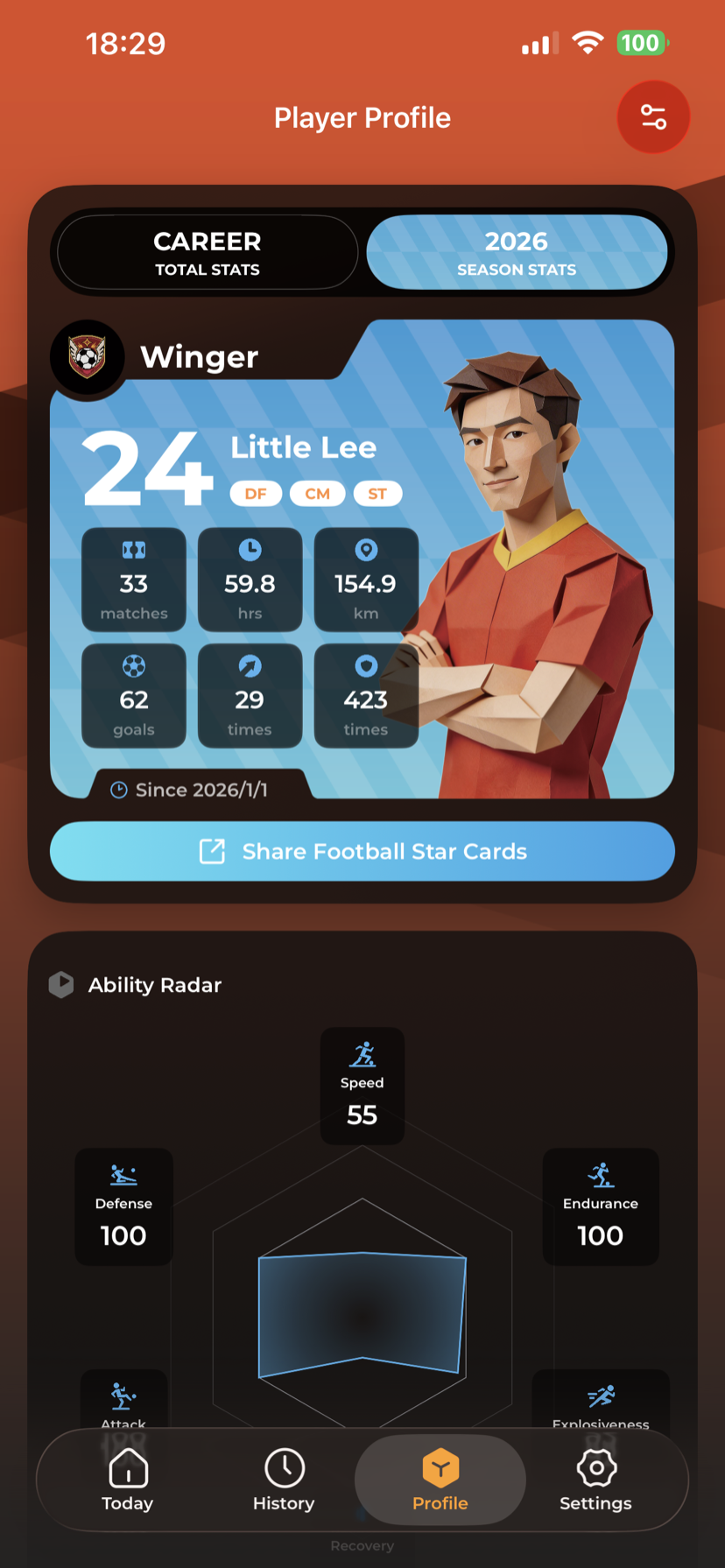
Your career, on one card.
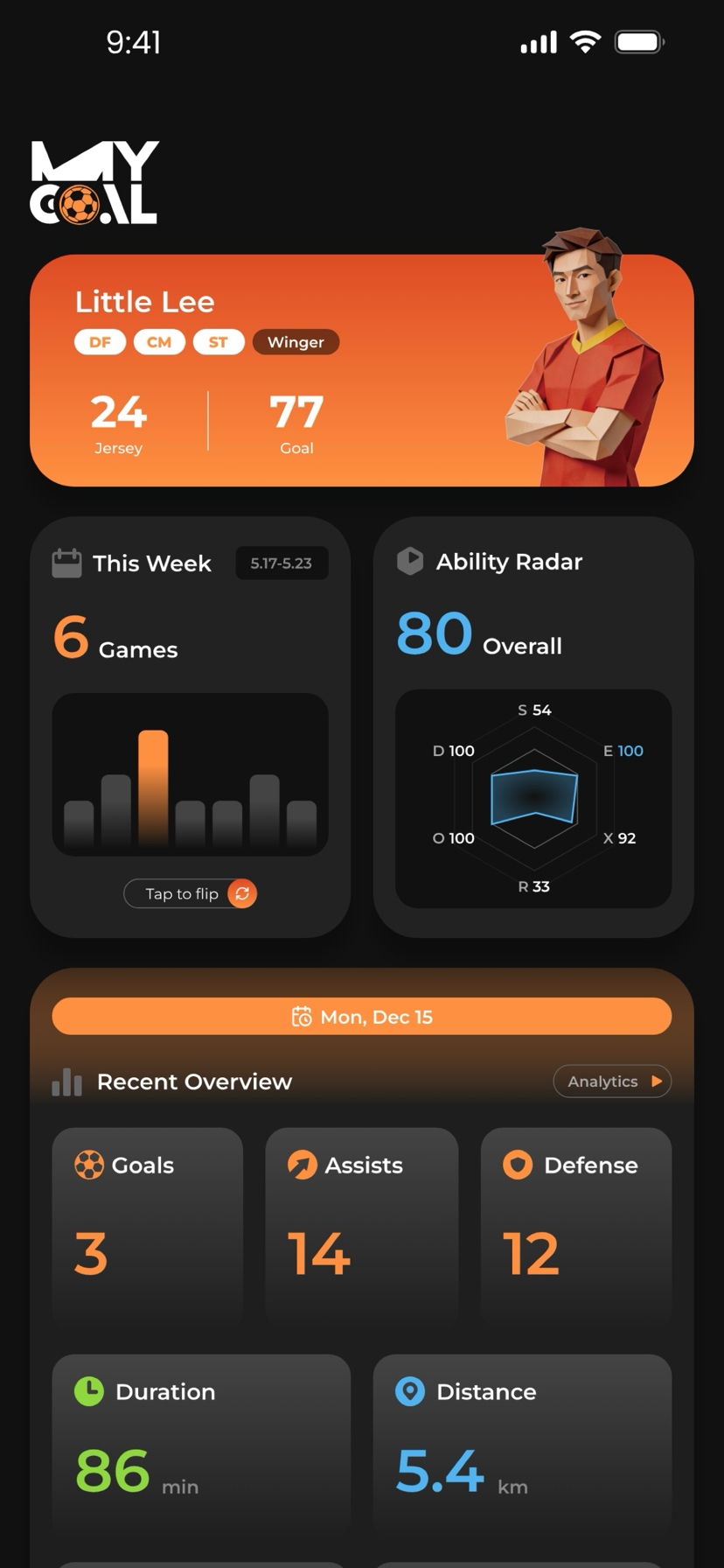
A 6-dimensional ability radar covering Speed, Stamina, Agility, Technique, Defense, and Awareness. Switch between Career totals and Current Season to see how you've grown — with an auto-detected playing style, from Finisher to Playmaker to All-Rounder.
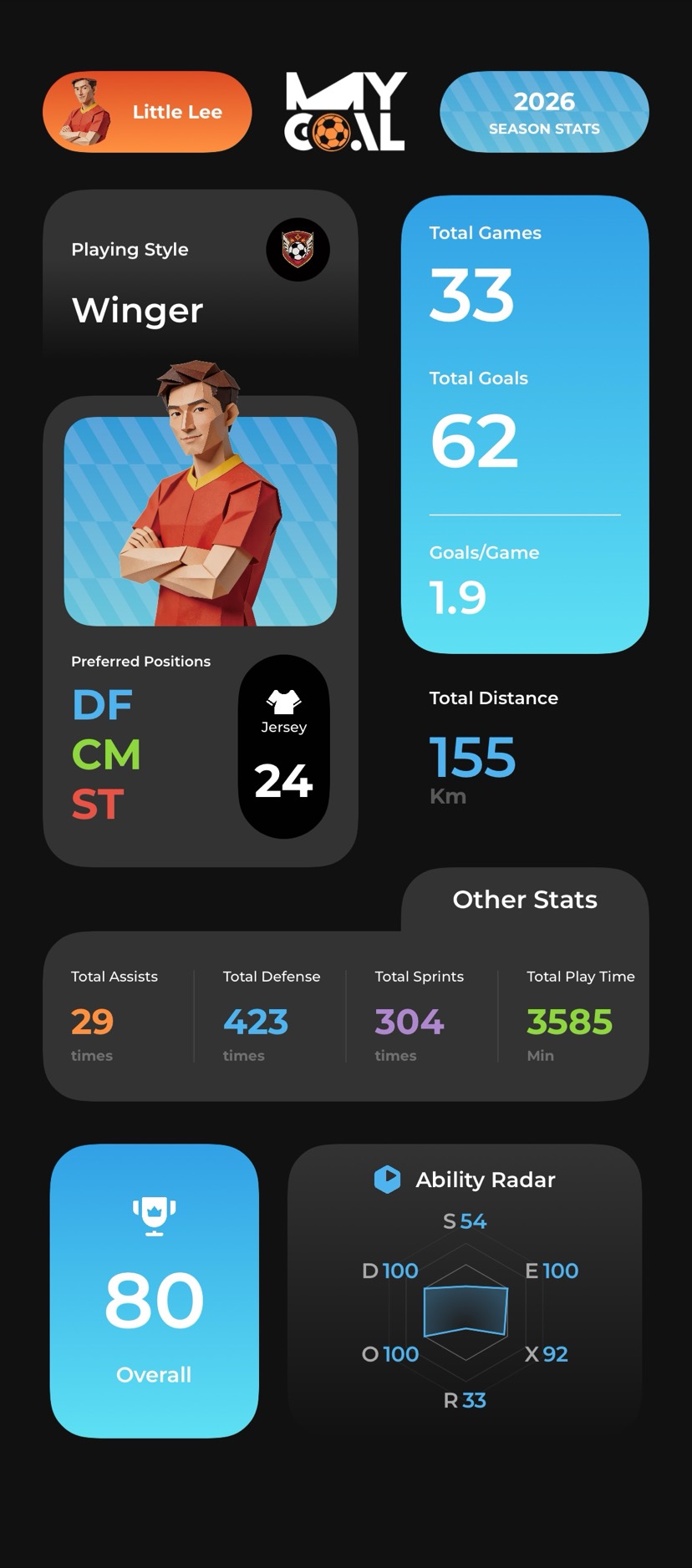
One tap. A shareable identity.
Generate a player card poster in a single tap, then save to Photos and share. Every match also gets its own poster — distance, top speed, heart rate, goals, all packaged for the group chat.
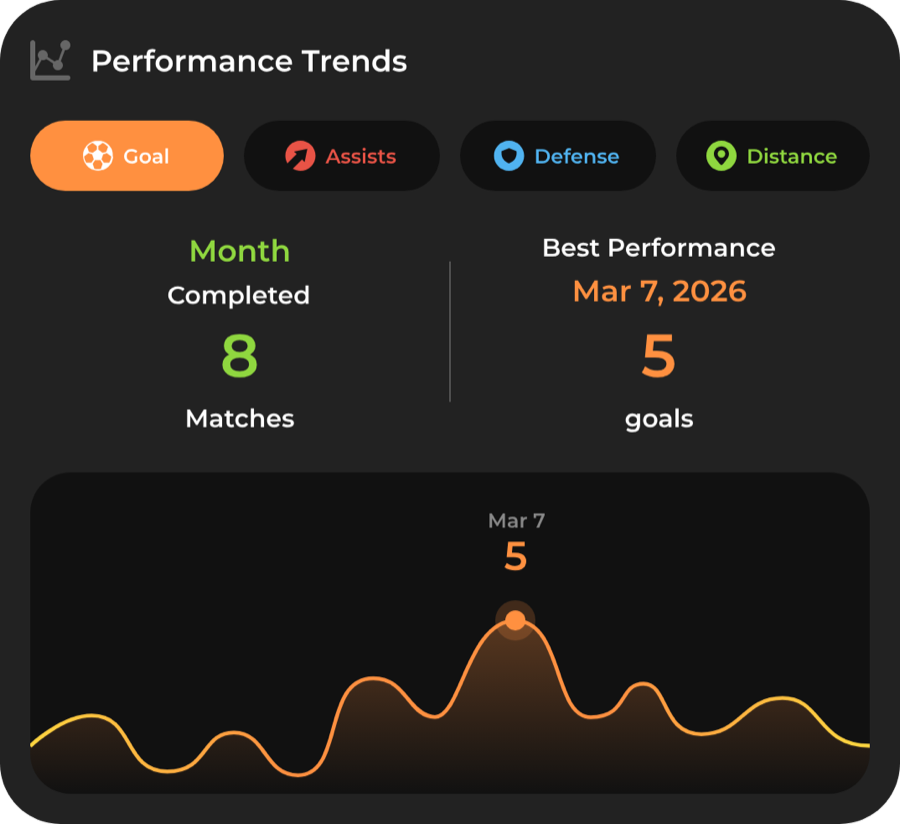
See how your game evolves, match by match.
Distance, top speed, average heart rate, intensity — every key metric charted over time so you can see your trajectory across the season, not just one match.
How it works
- 1
Start on your watch
Open MyGoal on your Apple Watch and tap to start a workout session before kickoff.
- 2
Play your game
Log goals, assists, and key moments with a quick tap. GPS and heart rate track automatically.
- 3
Review on iPhone
Dive into detailed stats, heatmaps, heart rate charts, and performance trends on the big screen.
What it does
- 01
Real-Time Match Recording
Log goals, assists, sprints, and defensive actions directly from your wrist as the game unfolds.
- 02
GPS Route & Heatmaps
Visualize your movement patterns with GPS-tracked routes and heatmap overlays on the field.
- 03
Heart Rate Zone Analysis
Monitor your effort with real-time heart rate zones and post-match intensity breakdowns.
- 04
Smart Highlights
Automatically generates match highlights based on goals scored, sprints, and peak heart rate moments.
- 05
Weather Tracking
Records temperature, humidity, and conditions for every match so you can see how weather affects your play.
- 06
iCloud Sync & Privacy
All data stays on your device or in your private iCloud container. No third-party servers, ever.
Frequently asked questions
What is MyGoal?
MyGoal is a personal soccer tracker for Apple Watch. It records goals, assists, GPS routes, heart rate and match performance in real time, for the games you play yourself.
Do I need an Apple Watch?
An Apple Watch (watchOS 10.0+) is required for automatic GPS and heart-rate recording. You can also add matches manually on iPhone (iOS 18.0+), entering goals, assists, duration and distance. Manual entries do not include recorded GPS routes or heart-rate measurements.
Is MyGoal available for Android or Wear OS?
MyGoal is available for iPhone and Apple Watch. There is no Android or Wear OS version.
Do I need to carry my iPhone during workouts?
No. Apple Watch can record workouts independently and will sync to your iPhone automatically when finished.
How much does MyGoal cost?
MyGoal is available for a one-time purchase of $5.99. No subscriptions, no ads, no hidden costs.
Does MyGoal work offline?
Yes. You can record match data on Apple Watch without an internet connection. Data syncs when connectivity is restored.
How is my data stored?
All data is stored locally on your device. If you enable iCloud sync, data is encrypted in your private iCloud container. No data is sent to third-party servers.
Does MyGoal sync with Apple Health?
Yes. Workout records, heart rate, and GPS routes are automatically written to the Apple Health app.
Does MyGoal have widgets?
Yes. Since version 1.3.7 there are four Home Screen widgets (Recent Match, Career Stats, Weekly Status and a large Overview) and three lock-screen widgets.
What data does MyGoal track?
Goals, assists, sprints, high-intensity defenses, heart rate zones, GPS routes with heatmaps, weather conditions, playing style, and ability radar stats.
Is MyGoal for coaches and teams, or for individual players?
MyGoal is built for individual players tracking their own performance in casual and pickup games — not a team-management or live-scoreboard tool. You can record your own goals, assists, and stats without managing a whole team.
What does MyGoal detect automatically, and what do I tap in?
Sprints, peak speed, and high-intensity defense are detected automatically from GPS and heart rate. Goals, assists, shots, passes, interceptions, clearances, and saves are logged with a quick tap on your wrist.
What can I review after a match?
On iPhone you get a heatmap, speed-segmented route replay (1×–20×), heart-rate and speed zones, and an event timeline — plus distance, top speed, and calories for the match.
Does MyGoal support Chinese?
Yes — MyGoal is available in both English and Chinese, and switches with your system language.
Is MyGoal related to other apps called "MyGoal"?
No. MyGoal is an independent Apple Watch soccer-tracking app built by indie developer Bo. It is not affiliated with other apps, organizations, or brands that share the name.
How is MyGoal different from other soccer trackers?
MyGoal focuses on Watch-native offline real-time recording, automatic detection of sprints and high-intensity defense, deep post-match visualization (heatmap, route replay, zones, timeline), and a privacy-first design with no third-party tracking.
Changelog
All releases →v1.4.0LatestOctober 2026
- Unfold to the inner display and key screens switch to a two-column layout, with maps and charts scaling up
- Workout history shows your match list and details side by side — tap to switch matches
- Fold it back and the outer display keeps the familiar iPhone layout
- The share card preview spins gently — press and drag to tilt it
- Various improvements and bug fixes
- Now requires iOS 18 or later
v1.3.8September 2026
- If MyGoal quits unexpectedly while recording on Apple Watch, your match is no longer lost — progress is saved automatically every minute
- Reopen the app and you'll be asked to save what was recorded: duration, distance, heart rate and goals included
- Inactivity Reminder: haven't played in 3, 5, 7 or 14 days? Get an evening nudge to get back on the pitch
- Weekly Reminder: pick a day and time and get reminded to play every week
- Turn them on in Settings → Notifications — when your iPhone is locked, reminders appear on your Apple Watch too
- Various improvements and bug fixes
v1.3.7September 2026
- Home Screen widgets are here — brand-new pixel-style widgets let you check your football stats without opening the app
- Recent Match widget: goals, assists and distance from your latest game, always at a glance
- Career Stats widget: lifetime totals with a pixel trend line of your last 10 matches — tap the button to switch between goals, assists, defense, distance and calories
- Weekly Status widget: this week's matches plus total goals, distance and time
- Overview widget (large): career grid, ability radar, three indexes and a switchable 10-match trend, all in one widget
- Lock-screen widgets — see your latest match and weekly summary at a raise of the wrist
- New Open Source Licenses page (Settings → About), crediting the open-source fonts and icons this app uses
v1.3.6August 2026
- New Recent Performance section on Home: goal / assist / defense / distance trends over your last 10 matches, plus Fitness, Attack and Defense indexes
- Press and slide on the trend chart to scrub through matches — see each day's stats and venue (also works in Analytics)
- Press and slide the stat on your player card to switch between goals, assists, defense, matches, distance and calories — your pick is remembered
- Attack Index now calibrates to pitch format — 5-a-side, 7/8-a-side and 11-a-side each get their own benchmark, so small-pitch goals no longer max it out
- Toasts unified with a frosted-glass look, crisp in both light and dark mode
- Fixed weather cards overflowing their container on the Analytics page
v1.3.5July 2026
- Major performance overhaul: Home, Analytics and Player Profile now load faster and scroll smoother, even with a large match history
- Fixed the Analytics page recalculating endlessly, so switching time ranges feels instant
- Fixed goal / assist / defense milestone highlights never triggering — they now light up when you hit a milestone
- Fixed sprint count being miscalculated
- Fixed heart-rate and event data being wiped while a GPS route was syncing
- Heatmap orientation now matches the route map for easier reading
- Fixed a few screens showing raw text instead of translations
- With the World Cup over, the World Cup stats tab in Player Profile has been tucked away
v1.3.4June 2026
- Forgot your Apple Watch? You can now log a match by hand — pick the venue, enter goals, assists, duration and distance, and your match is recorded in two quick steps
- Manually added matches get the same full detail view and share card, with the venue map included
- Weather for that venue and date is filled in automatically, so your records stay complete
- The 3-second pre-match countdown now has a stronger haptic rhythm for a more game-ready feel
v1.3.3June 2026
- The World Cup tab now counts only matches during the 2026 World Cup window (Jun 11 – Jul 19) — see exactly how you performed during the tournament
- Ability radar, top venues, recent records and share card all follow the tournament window
- Share cards saved to Photos are now smaller and use less memory
v1.3.2June 2026
- New World Cup tab in Player Profile — relive your matches during the tournament
- Fresh World Cup themed card art and backgrounds
- Fixed front/back field appearing reversed on some pitches — your activity zones now display correctly
- "Clear All Data" now opens a dedicated confirmation page to prevent accidental taps
v1.3.1June 2026
- Appearance follows your system by default — light by day, dark by night
- Or lock Dark / Light manually in Settings
- Typography and layout retuned across the whole app for cleaner reading
- Home, match details, player profile, analytics and more — all refreshed
- Share posters, player cards and page colors refined for both light and dark
v1.3.0May 2026
- All-new Player Profile with Career / Season mode switching
- One-tap player card poster — share your football identity
- Match share posters for every game
- New per-minute heart-rate candlestick chart, matching Apple Fitness
- Fixed long-standing max-speed cap bug
- App-wide dark UI refresh — faster and more stable
v1.2.2February 2026
- Improved Watch performance
- Match phase distance accuracy improvements
- General stability enhancements
v1.2.1February 2026
- Faster app launch
- More reliable Watch data sync
- Fixed distance discrepancy between Watch and iPhone
- Improved defense detection algorithm
- Fixed calendar weekday order
v1.2.0February 2026
- Portrait cutout sticker effect
- Colorful position badges
- Route replay skips pauses automatically
- Redesigned Watch UI
- Map now focuses on field area
- Improved sync reliability
- GPS drift fix
v1.1.3January 2026
- Weather tracking with 10 weather categories
- Weather-based achievements (Rain Warrior, Snow Warrior, and more)
- Weather statistics dashboard
- Algorithm guide for users
- Enhanced multi-dimensional highlight tags
- Unit adaptation for different locales
v1.1.2January 2026
- Smart data fallback for cross-year scenarios
- Phase heart rate estimation
- Max speed calculation fix
- GPS anomaly filter
v1.1.1December 2025
- Redesigned home screen
- Smart highlight system
- Performance optimizations
v1.1.0December 2025
- English localization
- New Barlow font family
v1.0.0December 2025
- Initial release — real-time match recording on Apple Watch
- Goals and assists tracking
- Sprint detection
- GPS route replay
- Heatmaps
- Heart rate zone analysis
- Playing style analysis
- Player profile
- Pitch management
- iCloud sync
Why I built this
I built MyGoal because I wanted to remember every match I played — the goals, the sprints, the moments that made it worth showing up.
It's for individual recreational and pickup footballers who want to record their own performance in casual games and training. A personal stat tracker on your wrist, not a team-management or scoreboard app.
If you love the beautiful game, this one is for you.
— Bo
Get MyGoal
A personal soccer tracker for Apple Watch. Log goals and assists from your wrist, then review GPS heatmaps, heart rate zones and match stats on iPhone. No ads, no tracking.